
The REPORTS view groups and sorts documents and clauses using criteria which you select.
This gives you aggregated statistics including, document and condition counts with compliance information.
The REPORTS view is found in the Documents page and in a Collections page.
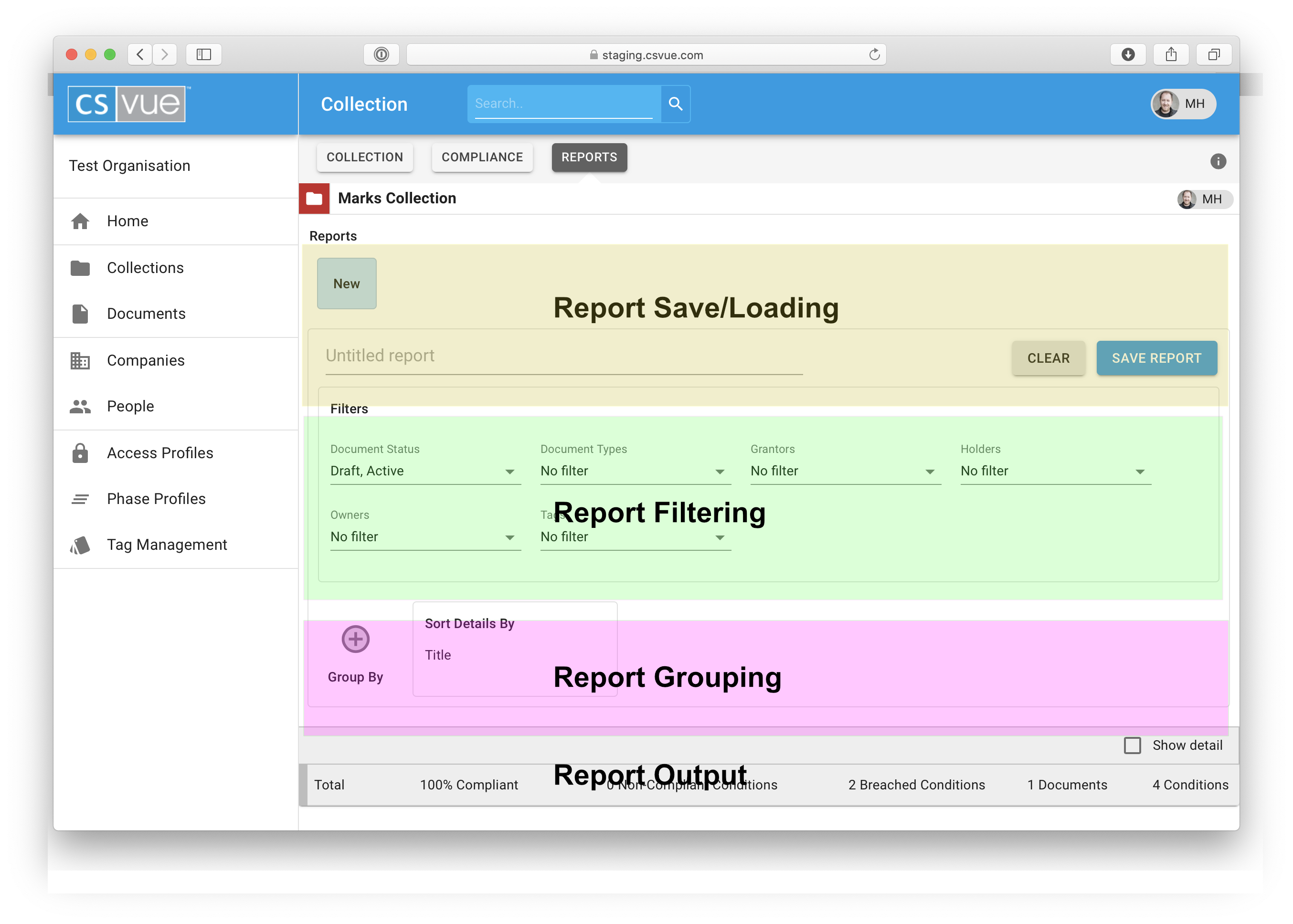
The REPORTS view consists of 4 areas which are used to create, manage and detail the requirements of the report.
Report saving and loading
This section is where you'll find your saved reports. click on a "saved report" button to load the parameters into the REPORTS view.
New reports can be given a title and saved for future reference.
The reports you save can only be seen by you.
Report Filtering
The source data for this REPORT view is based on the Collection you are viewing or All documents if you are in the Documents panel.
The filtering allows you to work with a just a subset of the source data. changing the filters removes datas from your report.,
Report Grouping
This is where the power of the REPORTS view comes to the front.
Information is often easier to understand when it is divided into groups. For example, a report that groups consents by region can highlight trends that otherwise might go unnoticed. In addition the totals at the end of each group in your report can replace a lot of manual calculations.
You can create groups and subgroups based on Tags, Owners, Tag groups, Grantor or Holder all of which become useful for interrogating your data.
Report Output
This is where the results of your parameters will be shown.
by default the detail is turned off. This is to help you understand the quantum of the results before seeing all the detail.
Groups are delineated by vertical bands of colour which helps readability.
Comments
0 comments
Please sign in to leave a comment.