
You sign off tasks when completed with documentation to record that the task is done. When all tasks are signed off, the condition is compliant.
You may sign off a task if you have sign-off permissions.
Click on the "Sign Off" button in the Task panel or condition task list.
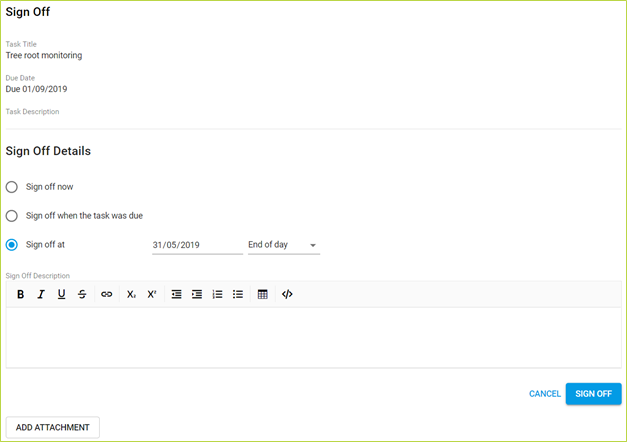
You must select the relevant sign-off date.
Sign off now (default): Sign off using today’s date. Use this option to skip to the present, ignoring all intervening time periods.
Sign off when the task was due: Sign off with no non-compliancy interval between task becoming due and now. Use this option to document in chronological order
Sign off at: Sign off on a specific date. The default is end of day but you may select Custom to specify a time. Use this option to document in chronological order, with intervals of non-compliancy.
You may enter a note stating why you are signing off the condition
You may to the sign-off record. This is strongly recommended where appropriate so that an audit trail of evidence is maintained.
Comments
0 comments
Please sign in to leave a comment.