
You may raise a breach against any condition, because your internal systems show you are in breach of a condition’s requirements or you may want to formally record an abatement or infringement notice received from the grantor.
A breach makes a condition non-compliant regardless of completed tasks. To resolve a breach you must complete all breach tasks i.e. tasks specifically added to the breach.
If a breach has no tasks it is still unresolved. Once a breach's tasks are complete, the breach is resolved, and the condition returns to its normal compliance state.
1. Click on the  button to raise a Breach.
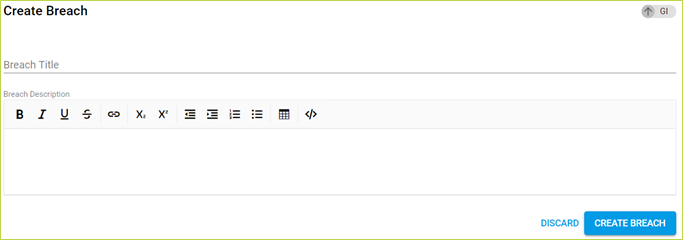
2. Add a breach title and description, then click 
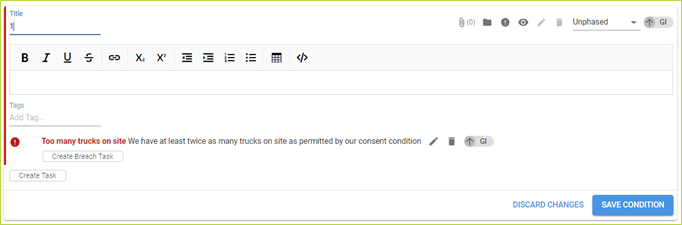
3. Click on the Pencil to edit the condition
4. "Create Breach Task". A recurring task is not available for a breach.
5. You must still click on "Save Condition" to keep all breach tasks created.
Comments
0 comments
Please sign in to leave a comment.