
To access the Tasks and Activity Panel click on the "i" button on the top right of the view your are in.
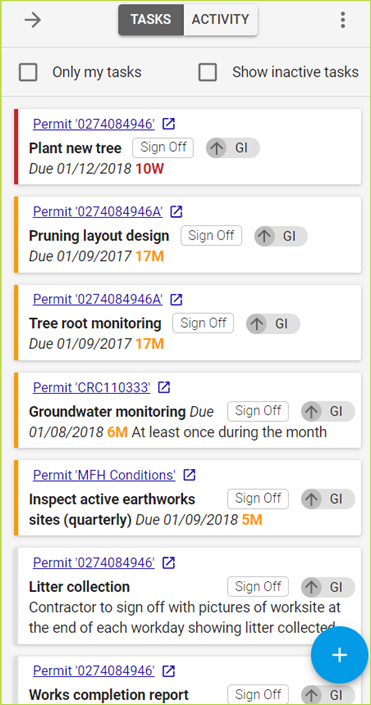
Within the Tasks and Activity Panel there is a Tasks view and Activity view. The default sort order is most overdue to least.
All editing activity is logged by CS-VUE and displayed in the activity tab.
The default display is everyone’s active tasks or activities. Check the box to show only your tasks and/or inactive tasks i.e. tasks that belong to Conditions or Permits not yet active.
You can use the Tasks view to organise your day and sign off tasks which are complete and documented.
Move between Tasks and Activities by using the buttons at the top of the panel.
Click on the Sign Off button to sign off tasks which are complete and documented.
Comments
0 comments
Please sign in to leave a comment.