
Navigating CS-VUE has been made easy to enable users to quickly search or locate the information they require.
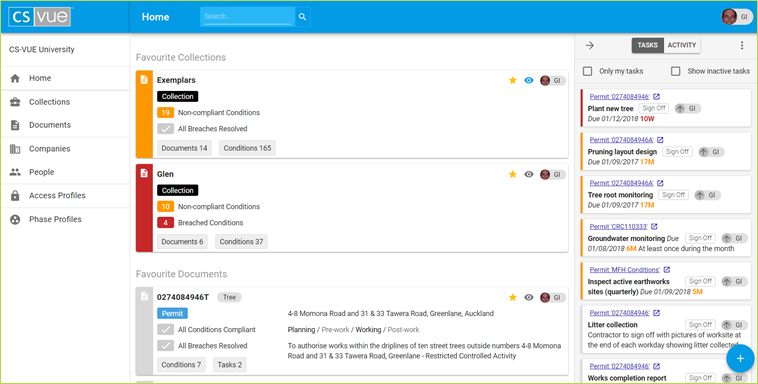
Main Menu - displayed on the left side of your screen. Click on any of the menu items to open the relevant section.
Search Field - found at the top of your screen. Enter your search terms and hit enter or click on the  button.
Cards - displayed on the central panel of any section. Click on any card to open the document.
Task and Activity Panel - if not displayed on the right hand side of your screen, click on the  button.
Personal Preferences and Organisation - under your initials  , found on the top right of your screen. If the button doesn't display your image automatically go to www.gravatar.com.
Create Document - click on the  found on the bottom right of your screen.
TIP: Sometimes it is more convenient to open a link in a new tab, rather than the one you're currently using. Doing so allows you to maintain your current page, while accessing another. Chrome and other popular browsers let you do this. On a Windows computer try holding the control button down as you click on the link , alternatively use the command button when using a Mac.
NB: If you need assistance at any point please contact us here
Comments
0 comments
Please sign in to leave a comment.